Tuotetunnus (SKU): Ei saatavilla/-tietoa Osastot: , Avainsanat tuotteelle , , , ,

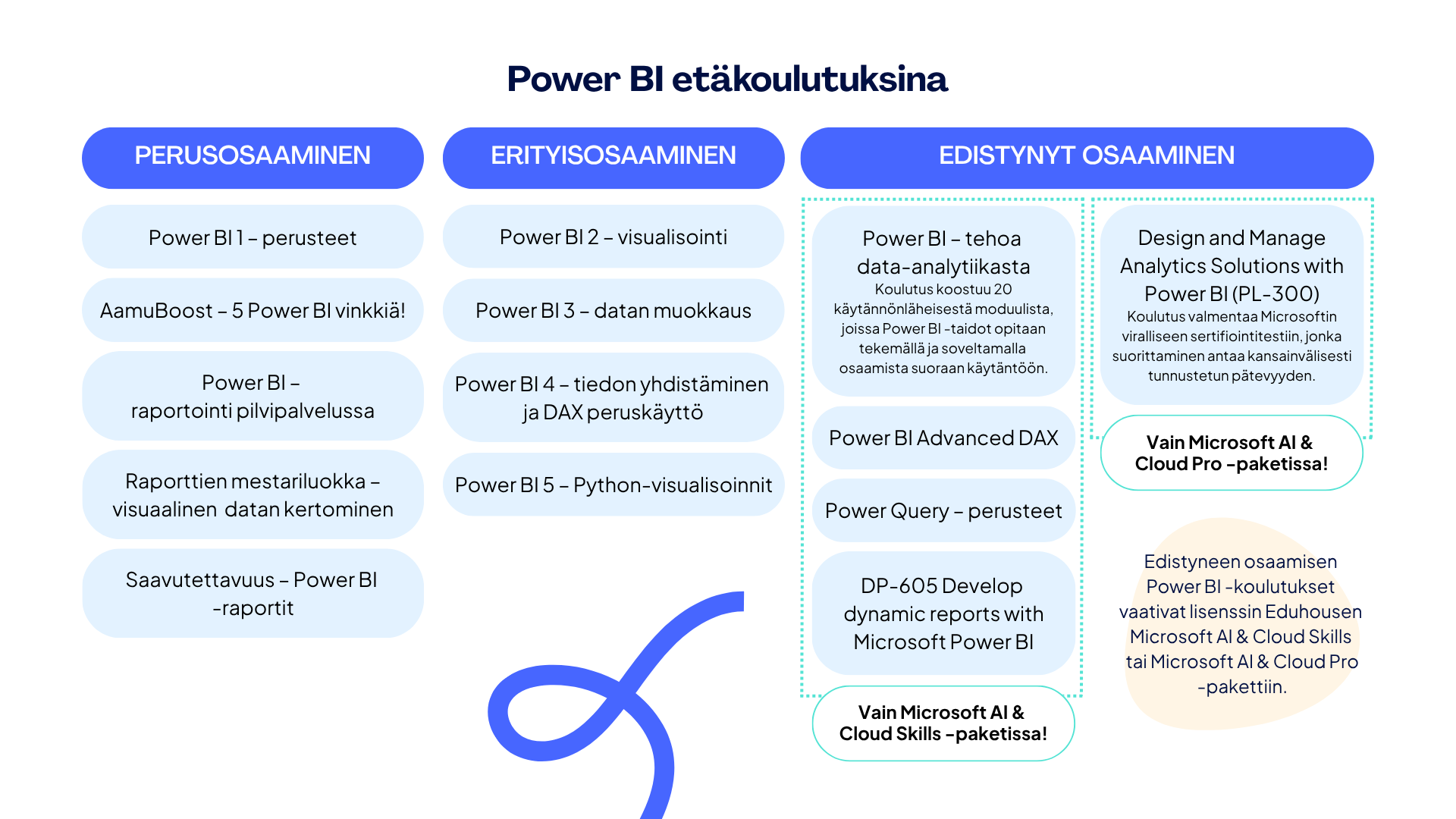
DP-605 Develop dynamic reports with Microsoft Power BI

790  + ALV

Valitse päivämäärä ilmoittautumista varten

Tuotetunnus (SKU): Ei saatavilla/-tietoa Osastot: , Avainsanat tuotteelle , , , ,

Kuvaus

Tämä koulutus tarjoaa perustietopaketin Microsoftin Power BI -raporttien rakentamiseen ja hallintaan. Koulutuksen aikana käydään läpi Power BI -tietomallin ja siitä muodostettavan raportin rakentaminen Power BI Desktopissa sekä näiden julkaisu ja ylläpito Power BI -pilvipalvelussa tiiviisti yhdessä päivässä.

Tavoite

Opi Power BI -raportin rakentamisen ja hallinnan perusperiaatteet.

Kenelle

Tämä koulutus soveltuu erinomaisesti kaikille Power BI -raportoinnista kiinnostuneille eikä vaadi aiempaa osaamista. Jos kaipaat kattavampaa sisältöä samasta aiheesta, niin tutustu myös koulutukseen PL-300 Microsoft Power BI Data Analyst.

Lisäksi kannustamme tutustumaan Power BI-koulutuksien opintopolkuun, joka auttaa sinua hahmottamaan, mitä muita taitoja voit kehittää!

Koulutuksen sisältö

Course introduction

Get data in Power BI

  • Identify and connect to a data source
  • Change data source settings, including credentials, privacy levels, and data source locations
  • Select a shared semantic model, or create a local data model
  • Choose between DirectQuery, Import, and Dual mode

Clean, transform and load data in Power BI

  • Shape and simplify the data structure
  • Evaluate and change column data types
  • Combine multiple tables into a single table
  • Profile data in Power BI
  • Use Advanced Editor to modify M code

Design a semantic model in Power BI

  • Work with tables
  • Create a date table
  • Work with relationships and cardinality
  • Resolve modeling challenges

Add measures to Power BI Desktop models

  • Create simple measures
  • Create compound measures
  • Create quick measures
  • Compare calculated columns with measures

Add calculated tables and columns to Power BI Desktop models

  • Create calculated columns
  • Learn about row context
  • Choose a technique to add a column

Design Power BI reports

  • Design the analytical report layout
  • Design visually appealing reports
  • Report objects
  • Select report visuals
  • Format and configure visualizations
  • Work with key performance indicators

Configure Power BI report filters

  • Introduction to designing reports for filtering
  • Apply filters to the report structure
  • Apply filters with slicers
  • Design reports with advanced filtering techniques
  • Consumption-time filtering
  • Select report filter techniques

Create and manage workspaces in Power BI

  • Distribute a report or dashboard
  • Monitor usage and performance
  • Recommend a development life cycle strategy
  • Troubleshoot data by viewing its lineage
  • Configure data protection

Manage semantic models in Power BI

  • Use a Power BI gateway to connect to on-premises data sources
  • Configure a semantic model scheduled refresh
  • Configure incremental refresh settings
  • Manage and promote semantic models
  • Troubleshoot service connectivity
  • Boost performance with query caching (Premium)

Avainsanat

Power BI -raportti, hallinta, rakentaminen, Power BI Desktop

Paikka

Päivämäärä

,